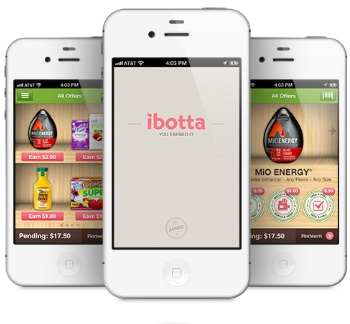
Update: you can still register for Ibotta and use the coupons but the $5 bonus has now ended.
Just a quick reminder that the $5 sign up bonus from Ibotta ends today. This is for new accounts and offered as a bonus for registering.
Make sure you do not go direct to the app store on your phone or you won’t get the bonus!
I have mentioned Ibotta a bunch of times but for those that are still unfamiliar, Ibotta is an app with coupons that are redeemed from Apple products (iPhone, iPod, etc) or Android devices. You can use them in conjunction with a regular coupon so it makes for a lot of fantastic deals.
You will actually pay the price out of your pocket and once you purchase the item you are refunded back the entire coupon value.
So for example, Target has Chapstick Green Apple Moisturizing variety for $.84. I would pay $.84 out of pocket for it (or less if I had a coupon) and then there is a $1 Ibotta coupon available. So after I bought the product, I would submit for the Ibotta coupon and get a refund of $1.
Once you have $5 in your account you can donate the money to charity, a local school or get it cashed out via Paypal. I already cashed out once with Ibotta and it went to my paypal immediately.
So if you haven’t registered it seriously takes about 5 minutes and you might consider doing it now.
- Just register here for Ibotta.
- Go to your phone log in and you should see the offers available. There are several pages so be sure to scroll over to see them all.
Just remember that this ends today (1/11) so you do not want to wait!
You will need to do your first offer before 1/17 to get the bonus. Once you do your first offer you get the $5 into your account.
**You can get step by step directions as to how the app works here.
I finally did this yesterday. Thanks for all the reminders!
I have signed up and got my $5 : ))
Thanks Charlene for posting the link several hundred times!
(I do not like un-thankful people)
LOL- it does feel like several hundred to me too Terry!
how did you get it? does it show up when you open the app? I hope so! It looks like fun. I had shopkick and that was fun but it was weird and confusing so this is better! 🙂
Karen,
To get the bonus you just need to complete an offer- so get one of the coupons and then go to the store and buy the item and then come home and snap a picture of your receipt. It is pretty simple and once you do that first offer they will apply the bonus to your account.
so should I buy the items individually or take a picture of the items I buy on the recipe and they will see what it is when you buy it?
Karen,
I bought a bunch of stuff and just had one receipt. The only thing is if you have a huge receipt it is weird to take pics but no you shouldn’t need to buy separately :).