There is nothing more frustrating than finding a great coupon and not being able to print it. Most of the time with bricks coupons (the ones that look like THIS and say bricks in the URL) there are two things you can do:
1. If you keep circling back to “install coupon printer” you simply need to change your browser. (Now this is assuming of course you have installed the coupon printer already.) So what does that mean? That means if you are using Internet Explorer just cut and paste the link in another browser- like Mozilla Firefox and it should work!
2. If you still can’t get it to work you can look for the little help link at the very bottom right corner of the screen:
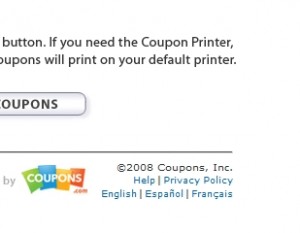
Some manufacturers will mail the coupon to you! If that is the case, when you click on HELP you will see a screen that asks for your mailing information! Now I had some problems with the Stouffer’s coupon about a week ago and I requested to get it in the mail.
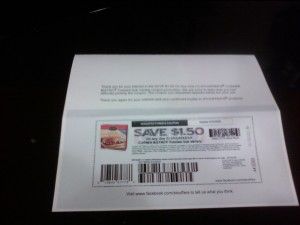
And ta da! Here it is mailed right to me within just a few days! Obviously this isn’t as good because I only got one copy not two- but better than no copies at all!
So you can try this if you ever run into this problem- remember not all offer this option. Also, it is VERY easy to discard these coupons as they come in plain white envelopes. You want to be on the lookout because they look like junk mail and usually have just a PO Box or plain address typed in the corner.
Thank you, this is so helpful and so timely! I got burned on 2 coupons yesterday (Bricks). I will definitely keep this in mind. You rock!
Oh thank you! I have run into this several times where it keeps asking me to install the printer when I already have it. Now I know what to do!
I think it depends on your operating system, too. That is if you are clicking on a link that someone else has copied and pasted. I use a Mac and sometimes have to change things in the URL to get it to print. If you were to just go to the source where the link came from in the first place, there wouldn’t be a problem.